Understanding MacBook Display Calibration: Accuracy for Professionals
The Importance of Display Calibration for MacBook Users
For creative professionals relying on their MacBooks for tasks like photo editing, video grading, graphic design, and even critical color evaluation in fields like architecture, accurate color representation is paramount. While Apple’s displays are known for their quality and wide color gamut coverage (often approaching 100% of the DCI-P3 color space), factory calibration alone isn't always sufficient to guarantee consistent color accuracy over time or across different devices. This is where display calibration comes in.
Editor's pick: MacBook stands & accessories on Amazon → As an Amazon Associate, this site earns from qualifying purchases.
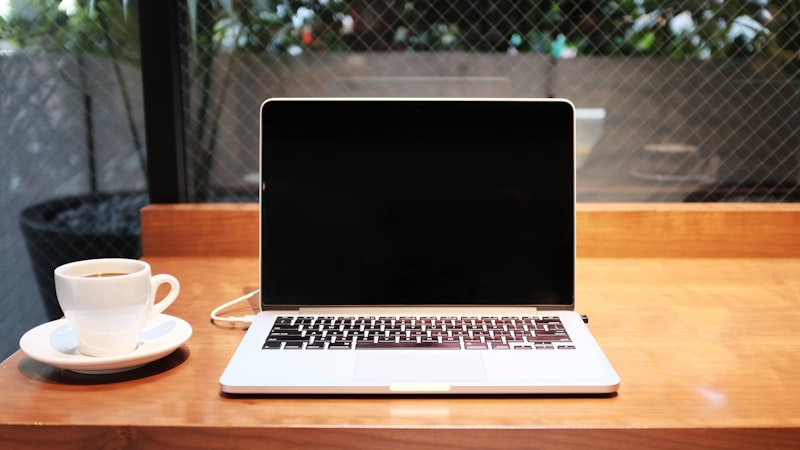
Display calibration involves using a hardware device, often called a colorimeter or spectrophotometer, to measure the colors being displayed on your MacBook's screen. This measurement data is then used to create a custom ICC profile, which is a set of instructions that the operating system uses to correct any color inaccuracies and ensure that colors are displayed as accurately as possible.
Why Factory Calibration Isn't Always Enough
Several factors contribute to the need for regular display calibration, even on high-quality displays like those found in MacBooks:
- Display Aging: Over time, the color characteristics of a display can shift due to component aging. This can lead to color casts or inaccuracies that weren't present when the display was new.
- Ambient Light: The surrounding lighting environment can influence how colors appear on your screen. A display calibrated in a dimly lit room may look different when viewed in bright sunlight.
- Individual Display Variance: Even displays of the same model can exhibit slight variations in color performance due to manufacturing tolerances.
- Software Updates: While less common, operating system or graphics driver updates can sometimes affect display color management, potentially requiring recalibration.
Hardware Calibration Options
Several hardware calibration devices are available, ranging in price and features. Popular options include:
- X-Rite i1Display Studio: A widely used and respected colorimeter that offers a good balance of accuracy and ease of use.
- Datacolor Spyder X2 Elite: Another popular option with a user-friendly interface and comprehensive feature set.
- Calibrite ColorChecker Display Pro: A professional-grade colorimeter known for its high accuracy and advanced features.
These devices typically connect to your MacBook via USB and work with calibration software to guide you through the process. The software measures the colors displayed on your screen and generates a custom ICC profile.
The Calibration Process
The calibration process generally involves these steps:
- Prepare your display: Allow your MacBook's display to warm up for at least 30 minutes before calibrating. Ensure the screen is clean and free of smudges.
- Install calibration software: Install the software that comes with your chosen calibration device.
- Connect the device: Connect the colorimeter or spectrophotometer to your MacBook's USB port.
- Follow on-screen instructions: The calibration software will guide you through the process, prompting you to place the device on the screen and run a series of measurements.
- Save the ICC profile: Once the calibration process is complete, save the generated ICC profile. The operating system will automatically load this profile to correct color inaccuracies.
Software Calibration: A Limited Alternative
While hardware calibration is the most accurate method, software calibration offers a less expensive, though less precise, alternative. Software calibration relies on adjusting display settings like brightness, contrast, and color temperature by eye. While it can improve color accuracy to some extent, it's not a substitute for the precision of hardware calibration.
Maintaining Calibration
To maintain accurate color representation, it's recommended to recalibrate your MacBook's display every few weeks or months, depending on your usage and the importance of color accuracy to your workflow. Regular calibration ensures that your display continues to perform optimally and that you can trust the colors you see on screen.
Investing in hardware calibration and maintaining a regular calibration schedule is crucial for professionals who rely on their MacBooks for color-critical work. While factory calibration provides a good starting point, ongoing calibration is necessary to account for display aging, ambient light variations, and individual display differences, ultimately ensuring consistent and accurate color representation across your workflow. As we explored in our analysis of display technology at iPhone View, the principles of color accuracy and calibration are universal across display types, highlighting the importance of these techniques regardless of the device you're using.